Login :       Password :       Ricorda login e password su questo computer

Skins
Effects
Controllers
Languages
Samples
Grafx
Tools
INVIA

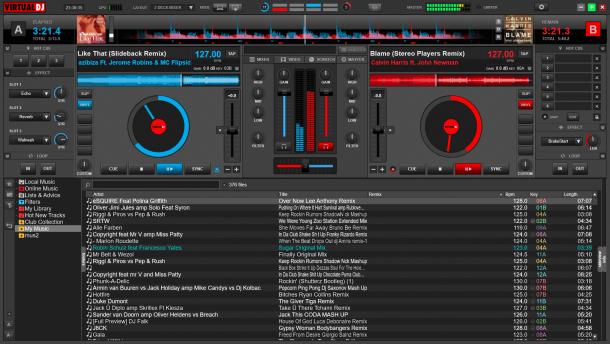
Multi Functions 3

Nome: Multi Functions 3
Autore: squatman972 - Moderator -

Aggiunto in data: Sat 07 Oct 06 @ 12:00 am
Ultimo aggiornamento: Fri 22 Aug 08 @ 4:26 am
Downloads mensili: 25
Downloads totali: 30 830

La tua attuale licenza non permette lo scarico di Skins

Basato su:


Descrizione:
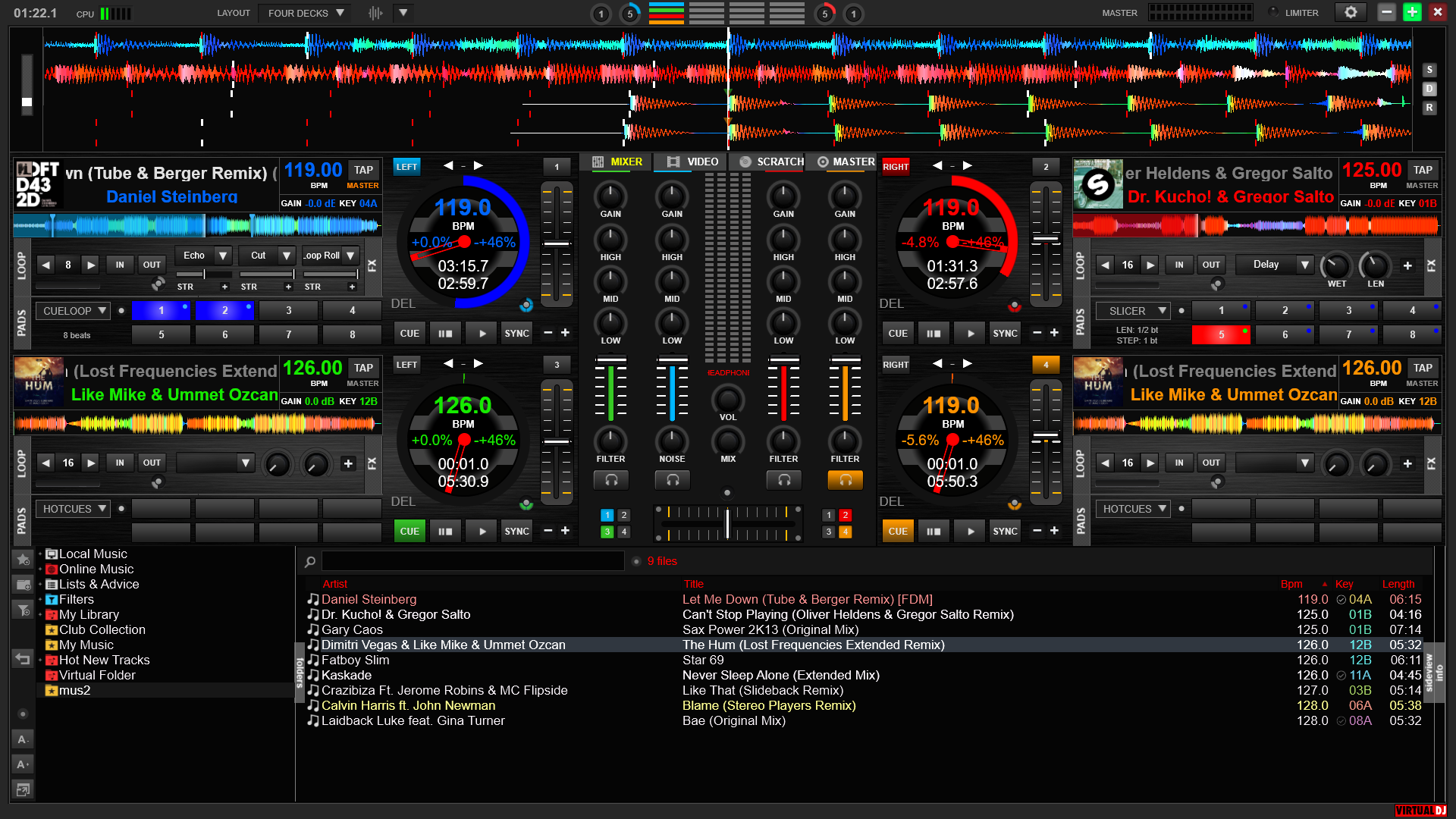
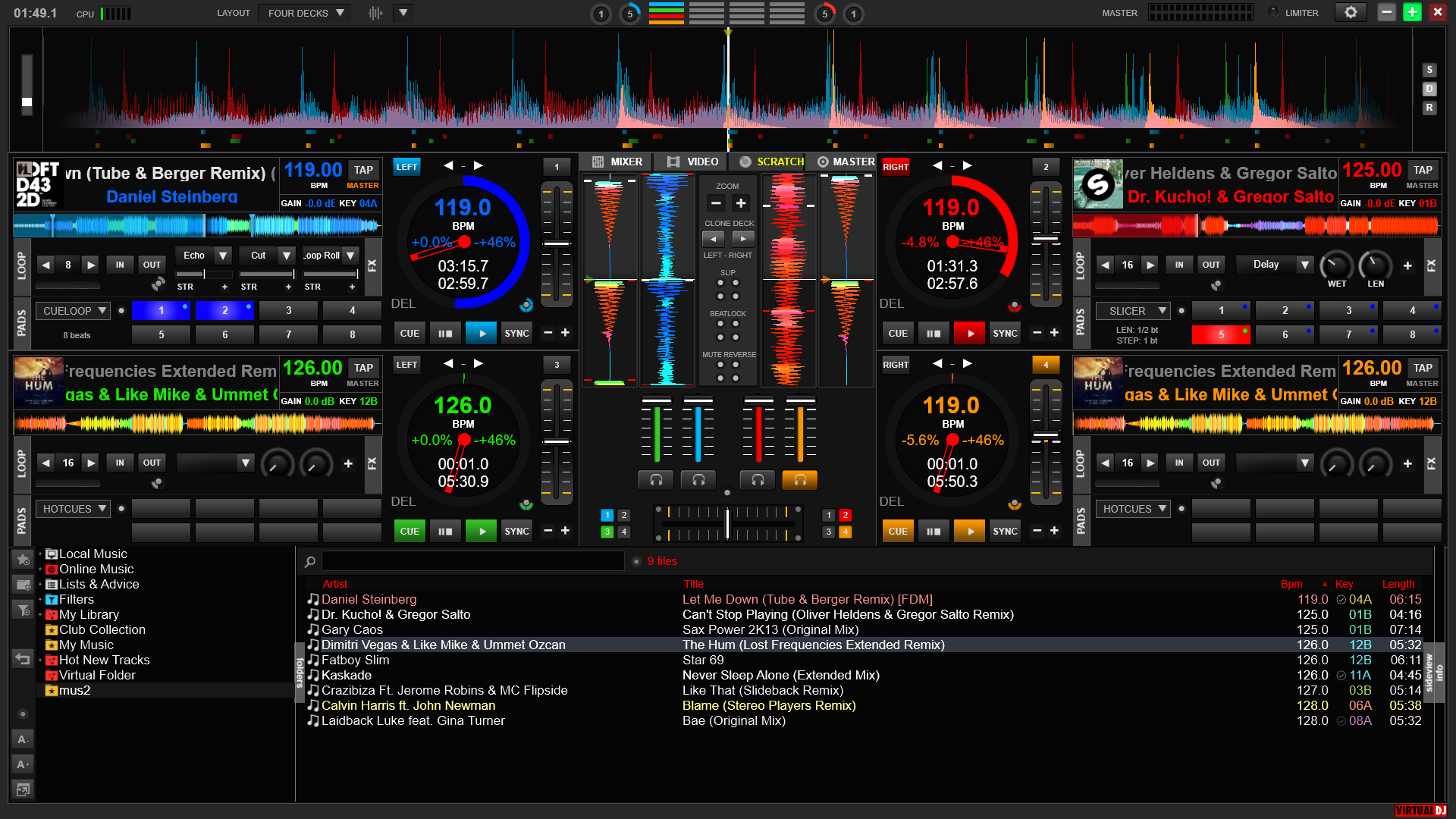
This skin use the "Internal Mixer" and "FullVideo" skins...

When the skin is locked, click on the email address of the author to unlock, it is in the lower left corner.

Please read the ENTIRE description before download

You can resize this skin for your screen with the Skin Resizing Tool availaible in the "external tool" section of this website.

*****V3.0*****
-AUTO and MIX buttons adapted to VDJ 5.x engine (AUTO to enable automix and MIX to force automix)
-Key slider added near to PITCH slider
-CUE names can be modified from the skin by clicking on the CUE number on the CUE pannel added in version 1.3
-Visuals bugs in Single Deck mode fixed
-Track loading bug on the Hidden Deck Watcher is now fixed

V2.1
-Visuals bugs fixed
-Linked audio-video crossfaders option can now be enabled directly from the skin

*****V2.0*****
-Brand new mode SINGLE DECK! The selected deck use the all screen for total control!
-AUTOMIX button adapted for VDJ 5. Clic on "AUTO" to activate the automix and on"MIX" to start "mix now".
-"RECORD" function added! Clic on the "RECORD" button to start recording directly from the skin!
-New visual based on the "GRID" source.
-For coding reasons , the "CPU SAVER" function as been deleted. Use the "NO SCROLLING" mode to decrease your CPU use.
V1.5-Function "CLONE DESK" for beat juggle added!
-Master volume on the mixer
-Display the use of the CPU in percentages too
-Brand new function "CPU SAVER" To decrease radically the use of the CPU when yo need it! (by desactivate some visuals which use a lot of CPU - Scrolling, Songpos, Rotation...) Click on the green button (next to the CPU's status bar) to active it!

V1.4
-Crossfader's curves "NO CROSSFADER" and "USER DEFINED" added
-EQ faders are now biggers
-Pitch reset button are now biggers
-The sample selection from the deck 2's list bug si now fixed!
-Visuals bugs when using Timecodes or Cues are now fixed

V1.3
-6 CUEs added for each deck
-Equalizer's faders added
-REVERSE function added

V1.2
-UNLOAD function added.
-Crossfader curve can be selected directly from the skin!
-some visuals added.

V1.1
-Scrolling can be disabled for professional use.
-Video output can be activate/unactivate from the skin!

*****V1.0*****
-Mixer and video pannels on the same skin!
-Full title, author, bpm, pitch, elapsed time, remaining time.
-SYNC and MAGIC BEATMATCH on the same skin!
-Brand new fonction LOCK. You can disable the software control by mouse (for private parties when everybody can enter the Dj's area;p. To take the control back, just click on my e-mail adress)

Site map
(C)opyright Atomix Productions 2012

Software
Hardware
Abbonamento Premium
Goodies
VirtualDJ Pro versione completa
VirtualDJ Pro Basic
VirtualDJ Broadcaster
VirtualDJ Home GRATIS
VirtualDJ LE
Comparazione
Numark CUE
VirtualVinyl
VirtualDJ iRemote
AtomixMP3
eJay DJMixStation
DJ-Box
Why VirtualDJ?
Vdj for Video
Vdj for Turntablism
Vdj for Club DJ
Vdj for Mobile DJ
What's new
Caratteristiche
Screenshots
VirtualDJ Home GRATIS
Manuali Utente
Plugins
Aggiornamento Software
Materiale Promozionale
SDK svilupatori
Timecode CD
Skins
Effetti
Mapper per i Controllers
Linguaggi
Samples audio
Sfondi per Desktop
Tools
Forums
Rete Utenti
Gruppi Musicali
Wiki e Manuali
Radio
Rivista
Social Web
Creare un login
Atomix Productions
Informativa sulla privacy
VIP DJs
Richieste
Controlla le tue richieste
Wiki e Manuali