


 PRESTIGE SONORISATION
Hello,
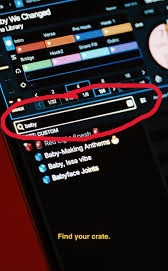
SERATO 4.0 has introduced a Crate search function.
A new search bar is located above the folders.
I already requested such a feature on the VDJ forum in 2021, as I find it essential (rather than having to scroll through and open hundreds of lists or folders looking for "the lost playlist").
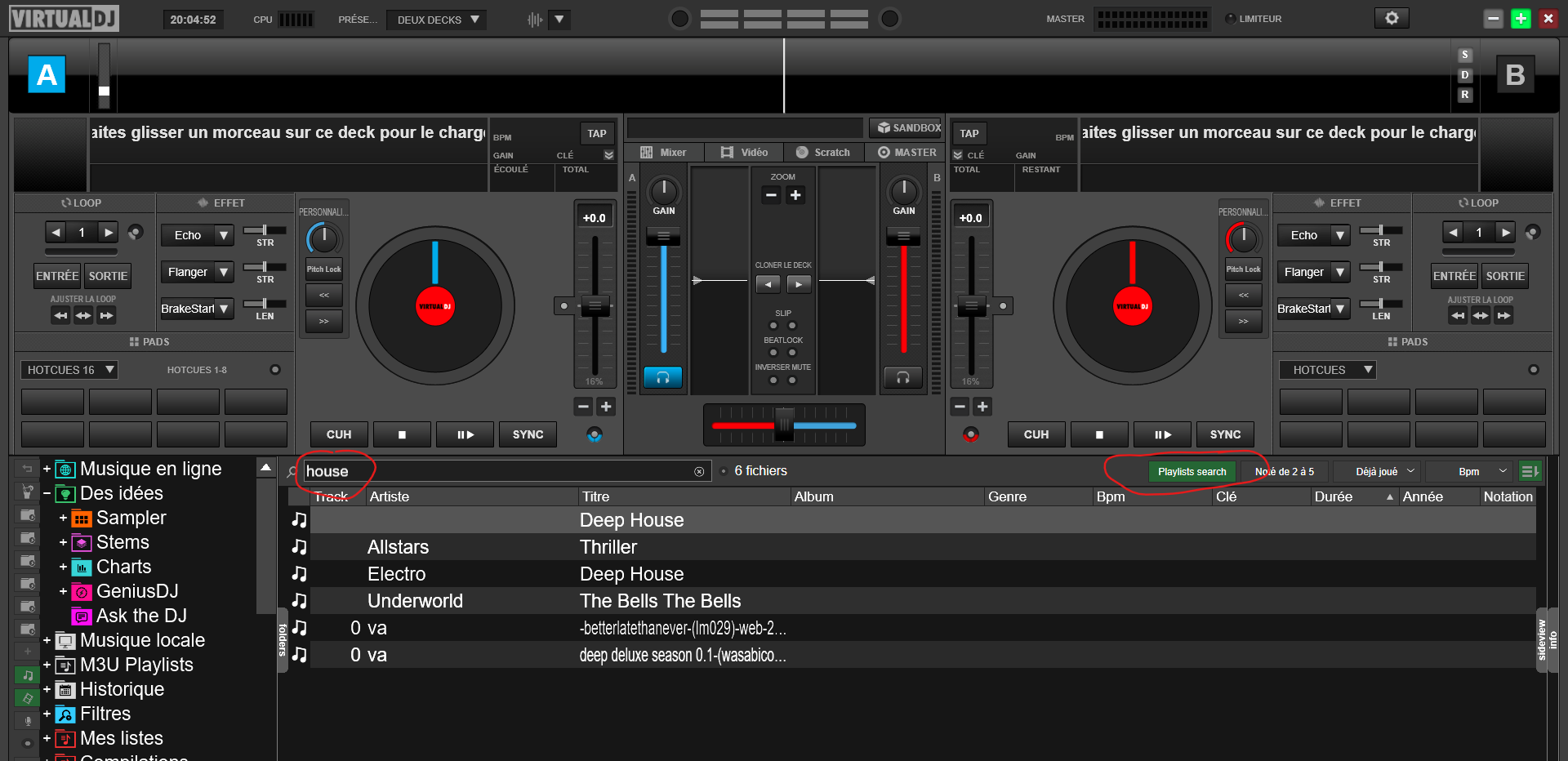
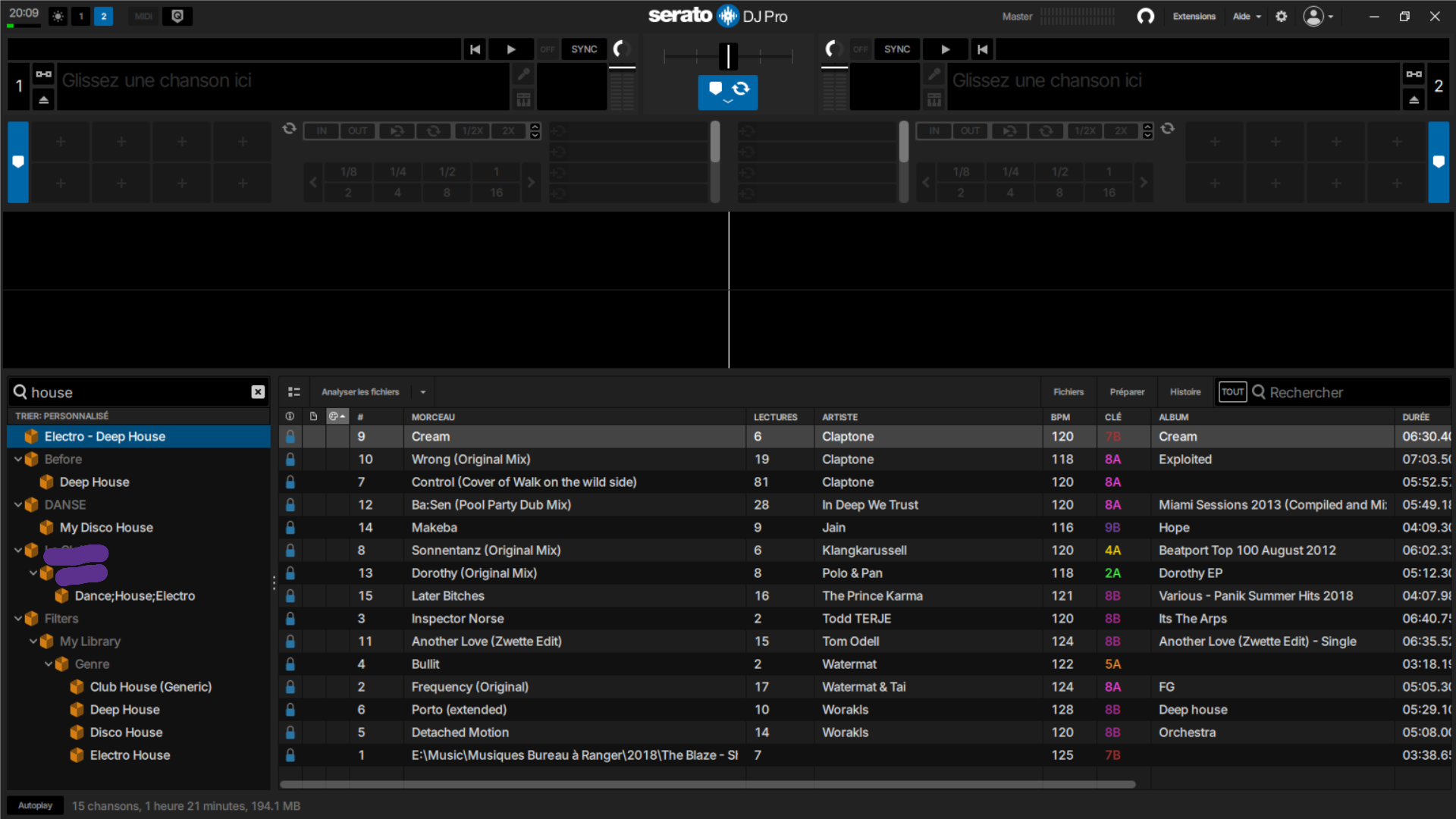
We really need a search bar above the folders to search within our lists (and/or folders, histories, playlists, filters, etc.).
Serato has just implemented it... when will we see such a folder search bar in VirtualDJ ?
Please, VirtualDJ Team!!!
SERATO 4.0 has introduced a Crate search function.
A new search bar is located above the folders.
I already requested such a feature on the VDJ forum in 2021, as I find it essential (rather than having to scroll through and open hundreds of lists or folders looking for "the lost playlist").
We really need a search bar above the folders to search within our lists (and/or folders, histories, playlists, filters, etc.).
Serato has just implemented it... when will we see such a folder search bar in VirtualDJ ?
Please, VirtualDJ Team!!!
Inviato Mon 01 Dec 25 @ 1:36 pm
PRESTIGE SONORISATION
Inviato Mon 01 Dec 25 @ 1:39 pm
 kradcliffe
The playlist search feature already exists it's just not in a specific box.
Inviato Mon 01 Dec 25 @ 1:54 pm
 DJ VinylTouch
Posts like these really show a fair bit of users actually don't know the functionality of the software and probably don't read the manual/wiki pages to find out what's there.
OP the verb you want is
OP the verb you want is
search_folder
Inviato Mon 01 Dec 25 @ 2:08 pm
PRESTIGE SONORISATION
Always the same useless answers!
And rude!
And disheartening!
I feel like I'm listening to politicians saying, "What do you need? I'll tell you how to do without it."
With VirtualDJ's single search bar for playlists, you end up finding playlists mixed in with the tracks when you search for a song.
We really need a dedicated search bar.
And rude!
And disheartening!
I feel like I'm listening to politicians saying, "What do you need? I'll tell you how to do without it."
With VirtualDJ's single search bar for playlists, you end up finding playlists mixed in with the tracks when you search for a song.
We really need a dedicated search bar.
Inviato Mon 01 Dec 25 @ 2:45 pm
PRESTIGE SONORISATION
Here is the first post of 2021, with no truly usable answers or solutions:
https://www.virtualdj.com/forums/241464/General_Discussion/Search_for_playlist%28s%29.html?page=1
https://www.virtualdj.com/forums/241464/General_Discussion/Search_for_playlist%28s%29.html?page=1
Inviato Mon 01 Dec 25 @ 2:48 pm
kradcliffe
How is that rude or useless? The function to search playlists has existed for some time and all you need to call it is a key press or a custom button.
It works perfectly fine.
It works perfectly fine.
Inviato Mon 01 Dec 25 @ 2:53 pm
DJ VinylTouch
PRESTIGE wrote :
With VirtualDJ's single search bar for playlists, you end up finding playlists mixed in with the tracks when you search for a song.
We really need a dedicated search bar.
With VirtualDJ's single search bar for playlists, you end up finding playlists mixed in with the tracks when you search for a song.
We really need a dedicated search bar.
If you read what I posted, you'd realize what you said was incorrect.
search_folder pops up a spotlight like search box that only shows you lists (filters and regular lists).
Being integrated into the skin is a matter of taste (and would be the very minor feature request) - but the functionality is already there.
Inviato Mon 01 Dec 25 @ 2:54 pm
 Adion
Adion
If you enable browserPreviousFoldersButton, you can even right-click the back button to open the dialog, so no need for a custom button.
Inviato Mon 01 Dec 25 @ 2:58 pm
PRESTIGE SONORISATION
It's absolutely incomparable!
I synced my playlists to Serato using Lexicon DJ.
And so, I was able to test the search bar on Serato, and it's simply amazing.
You type "Funk" and there you go; you see all your funk playlists, with the folder structure and direct access.
Which also allows you to quickly reorganize your playlist folders.
I synced my playlists to Serato using Lexicon DJ.
And so, I was able to test the search bar on Serato, and it's simply amazing.
You type "Funk" and there you go; you see all your funk playlists, with the folder structure and direct access.
Which also allows you to quickly reorganize your playlist folders.
Inviato Mon 01 Dec 25 @ 2:58 pm
DJ VinylTouch
You're not listening at all so I'll defer to the devs on this one 🍺.
I'll let you know though, that I use both software regularly, and I use what was suggested to you every gig with VDJ. It's not the same thing as searching from the search bar, it's dedicated to showing you lists and their paths only..try it and see.
I'll let you know though, that I use both software regularly, and I use what was suggested to you every gig with VDJ. It's not the same thing as searching from the search bar, it's dedicated to showing you lists and their paths only..try it and see.
Inviato Mon 01 Dec 25 @ 3:01 pm
 groovindj
I assume that what you want is to search for the playlists themselves, rather than the contents of the playlists?
e.g. if you have a playlist called PRESTIGE then you're looking for the name of that playlist?
e.g. if you have a playlist called PRESTIGE then you're looking for the name of that playlist?
Inviato Mon 01 Dec 25 @ 3:02 pm
PRESTIGE SONORISATION
Yes
Inviato Mon 01 Dec 25 @ 3:04 pm
Adion
That's exactly what search_folder, or right click the previous folder button does as well.
Maybe you're thinking about the search_playlists function, which is indeed used to search for songs within playlists, and different from what you meant?
Maybe you're thinking about the search_playlists function, which is indeed used to search for songs within playlists, and different from what you meant?
Inviato Mon 01 Dec 25 @ 3:07 pm
DJ VinylTouch
groovindj wrote :
I assume that what you want is to search for the playlists themselves, rather than the contents of the playlists?
e.g. if you have a playlist called PRESTIGE then you're looking for the name of that playlist?
e.g. if you have a playlist called PRESTIGE then you're looking for the name of that playlist?
This is exactly what search_folder shows you.
Note I'm saying search_folder, and not search_playlists...the latter shows you which playlists contains the song in question.
Inviato Mon 01 Dec 25 @ 3:07 pm
 locoDog
DJ VinylTouch wrote :
Posts like these really show a fair bit of users actually don't know the functionality of the software and probably don't read the manual/wiki pages to find out what's there.
OP the verb you want is
OP the verb you want is
search_folder
Ain't that the truth.
Inviato Mon 01 Dec 25 @ 3:08 pm
groovindj
Admittedly it's not the best way to name it though. If someone's looking to search for a playlist, it's likely they'd look at search_playlist rather than search_folder.
Maybe differentiate with search_for_playlist and search_in_playlist ?
search_folder would generally be interpreted (IMO) as "search for something in the folder" rather than "search for the name of a playlist".
[shrug]
Maybe differentiate with search_for_playlist and search_in_playlist ?
search_folder would generally be interpreted (IMO) as "search for something in the folder" rather than "search for the name of a playlist".
[shrug]
Inviato Mon 01 Dec 25 @ 3:23 pm
DJ VinylTouch
Tbh I did make this mistake initially when I found the search section of verbs. A clearer alias for each wouldn't hurt.
@locodog it's unfortute that I had to say it that way, but it is true.
@Adion
I also have search_folder behind a keyboard shortcut that differs from regular search only by an additional modifier key (shift I think), so I can switch between a general track search or a folder search very quickly, without hunting the mouse to a specific position onscreen to get to the functionality.
@locodog it's unfortute that I had to say it that way, but it is true.
@Adion
I also have search_folder behind a keyboard shortcut that differs from regular search only by an additional modifier key (shift I think), so I can switch between a general track search or a folder search very quickly, without hunting the mouse to a specific position onscreen to get to the functionality.
Inviato Mon 01 Dec 25 @ 3:42 pm
groovindj
Maybe find_playlist would be better (keeping it to two words).
Inviato Mon 01 Dec 25 @ 4:03 pm
PRESTIGE SONORISATION
Inviato Mon 01 Dec 25 @ 7:22 pm
