


I have a question about this BPM. What is the fastest way to set BPM in Virtual DJ. I'm not talking about the SYNC button.
Inviato Sun 22 Feb 26 @ 11:45 am
 kradcliffe
Analyze the track?
Inviato Sun 22 Feb 26 @ 11:47 am
kradcliffe wrote :
Analyze the track?
Analyzing the song won't give me anything. Perhaps I will describe exactly what I mean. One deck has, for example, 150.0 BPM and the other track has, for example, 130.0 BPM. Set the second track to 150.0 BPM as soon as possible.
Inviato Sun 22 Feb 26 @ 12:06 pm
kradcliffe
Doesn't make much sense, can you explain in more detail what you're trying to achieve as that's what Sync is for?
Inviato Sun 22 Feb 26 @ 12:07 pm
 Hi-Fi Productions
Auto sync or bpm match in settings
And make sure the tempo range is high
50% or 100%
Bpm will match on song load
And make sure the tempo range is high
50% or 100%
Bpm will match on song load
Inviato Sun 22 Feb 26 @ 12:12 pm
kradcliffe wrote :
Doesn't make much sense, can you explain in more detail what you're trying to achieve as that's what Sync is for?
I don't want to use the SYNC button. I would like another, quick way but without using the Sync button.
Inviato Sun 22 Feb 26 @ 12:37 pm
 DJ VinylTouch
Hi-Fi Productions wrote :
Auto sync or bpm match in settings
And make sure the tempo range is high
50% or 100%
Bpm will match on song load
And make sure the tempo range is high
50% or 100%
Bpm will match on song load
You got the answer here.
Read up on the auto sync options here.
Inviato Sun 22 Feb 26 @ 12:42 pm
 djsadim
match_bpm
Inviato Sun 22 Feb 26 @ 1:08 pm
Thank you for your answer - unfortunately I still don't know the answer to my question. Another issue is that even if you set the BPM of two equal songs correctly, the grid in the waveform is not equal.
Inviato Sun 22 Feb 26 @ 2:43 pm
DJ VinylTouch
The option is to set Auto Sync on Load (or use the mentioned verb), and probably also set the setting autoBPMRange to true if you are planning to do wide range beatmatching.
If your BPM is actually correct for each song and you sync one to another, then your grids should match up. If your songs don't sound synced, that means your grid in one or both songs is placed incorrectly.
If your BPM is actually correct for each song and you sync one to another, then your grids should match up. If your songs don't sound synced, that means your grid in one or both songs is placed incorrectly.
Inviato Sun 22 Feb 26 @ 2:56 pm
DJ VinylTouch wrote :
The option is to set Auto Sync on Load (or use the mentioned verb), and probably also set the setting autoBPMRange to true if you are planning to do wide range beatmatching.
If your BPM is actually correct for each song and you sync one to another, then your grids should match up. If your songs don't sound synced, that means your grid in one or both songs is placed incorrectly.
If your BPM is actually correct for each song and you sync one to another, then your grids should match up. If your songs don't sound synced, that means your grid in one or both songs is placed incorrectly.
I have a request. Please write down what I need to select so that everything works correctly.
Inviato Sun 22 Feb 26 @ 3:13 pm
DJ VinylTouch


I have a request too. Please take time to read the manual, visit the Wiki page for info (the devs/staff take time to write it, combined, 99.9% of the time they both contain all of the details in a concise fashion for the questions), and try the advice given.
We are willing to help with all problems, but there is some expectation of OPs actually trying the advice + giving feedback (especially if the advice is inadequate to you), because that's how you will actually learn how to use VirtualDJ effectively.
Inviato Sun 22 Feb 26 @ 3:41 pm
DJ VinylTouch wrote :
I have a request too. Please take time to read the manual, visit the Wiki page for info (the devs/staff take time to write it, combined, 99.9% of the time they both contain all of the details in a concise fashion for the questions), and try the advice given.
We are willing to help with all problems, but there is some expectation of OPs actually trying the advice + giving feedback (especially if the advice is inadequate to you), because that's how you will actually learn how to use VirtualDJ effectively.
I have a request too. Please take time to read the manual, visit the Wiki page for info (the devs/staff take time to write it, combined, 99.9% of the time they both contain all of the details in a concise fashion for the questions), and try the advice given.
We are willing to help with all problems, but there is some expectation of OPs actually trying the advice + giving feedback (especially if the advice is inadequate to you), because that's how you will actually learn how to use VirtualDJ effectively.
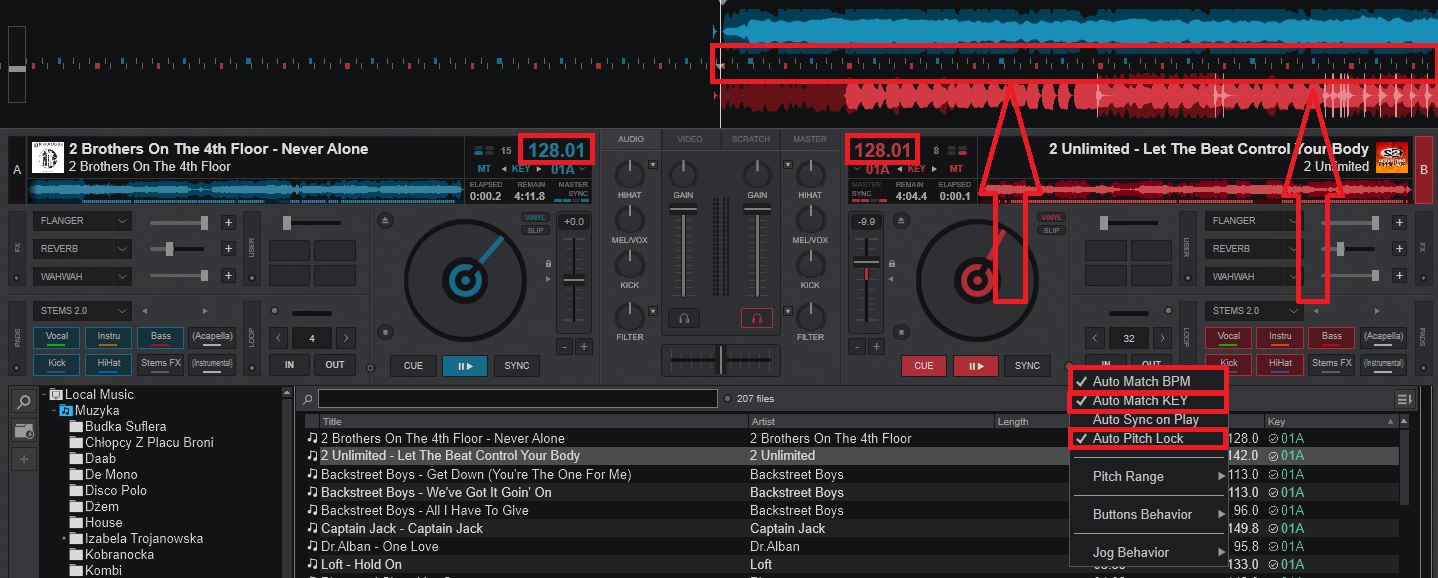
Thank you for your reply - this isn't working correctly. Please see the image below.
Inviato Sun 22 Feb 26 @ 4:15 pm
DJ VinylTouch
DJ VinylTouch wrote :
If your BPM is actually correct for each song and you sync one to another, then your grids should match up. If your songs don't sound synced, that means your grid in one or both songs is placed incorrectly.
If your BPM is actually correct for each song and you sync one to another, then your grids should match up. If your songs don't sound synced, that means your grid in one or both songs is placed incorrectly.
Replace If your songs don't sound synced with If your songs don't sound synced or your grids look off/unaligned
Inviato Sun 22 Feb 26 @ 4:36 pm
DJ VinylTouch wrote :
Replace If your songs don't sound synced with If your songs don't sound synced or your grids look off/unaligned
Replace If your songs don't sound synced with If your songs don't sound synced or your grids look off/unaligned
Thank you for your answer - none of the options have helped so far. I would like it to look like the image below.
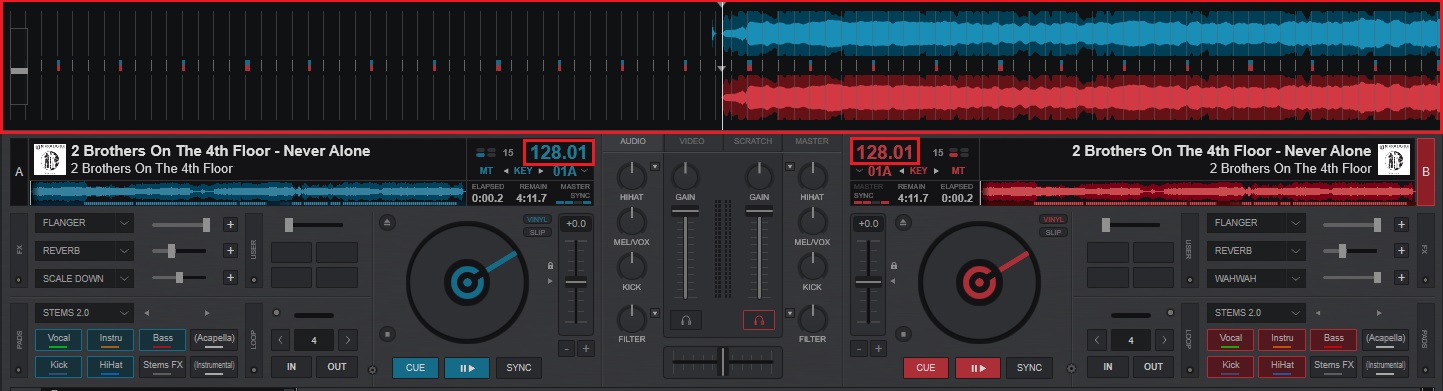
Of course, I write to make this happen with various songs.
Inviato Sun 22 Feb 26 @ 4:57 pm
DJ VinylTouch
Enable Auto Sync on Play.
Inviato Sun 22 Feb 26 @ 5:00 pm
DJ VinylTouch wrote :
Enable Auto Sync on Play.
Thank you for your answer - nothing helped either. Please look below.
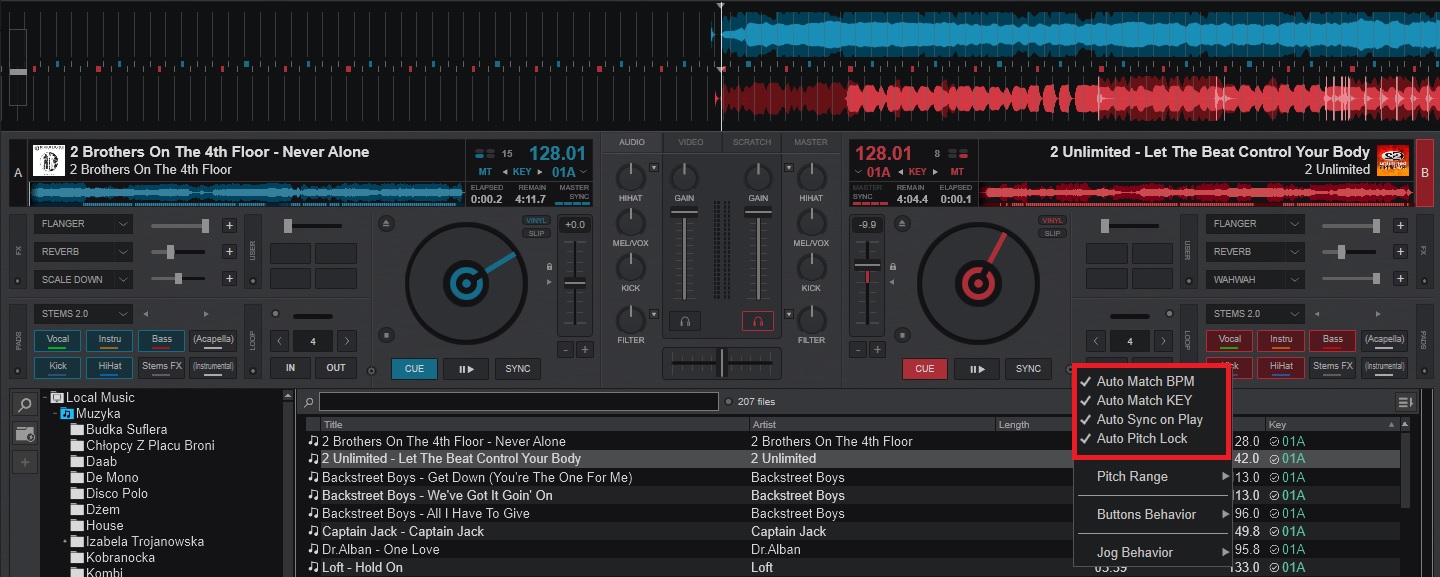
I would like it to work like in the link below.
https://www.youtube.com/watch?v=cDzDFePA1UY&t=138s
Inviato Sun 22 Feb 26 @ 5:06 pm
DJ VinylTouch
You sent the answer...
At this point you have all the information you need.
If you can't figure it out, then post a video showing what you have done - the grids of the songs exact steps of what you are doing and then you cna be guided accordingly.
At this point you have all the information you need.
If you can't figure it out, then post a video showing what you have done - the grids of the songs exact steps of what you are doing and then you cna be guided accordingly.
Inviato Sun 22 Feb 26 @ 5:50 pm
DJ VinylTouch wrote :
You sent the answer...
At this point you have all the information you need.
If you can't figure it out, then post a video showing what you have done - the grids of the songs exact steps of what you are doing and then you cna be guided accordingly.
At this point you have all the information you need.
If you can't figure it out, then post a video showing what you have done - the grids of the songs exact steps of what you are doing and then you cna be guided accordingly.
Thank you for your answer - I tested on two computers, unfortunately the same thing happens.
Inviato Sun 22 Feb 26 @ 6:31 pm
IIDEEJAYII
Are you asking for, phase syncing and not just beat syncing?
if so, create a custom button with, the script:
phase_sync 4 & sync
use the button, to test if phase syncing, is what you are wishing for.
sidenote: phase syncing is a bit far from, the title, "BPM" , so not sure if that is what you are looking for.
if so, create a custom button with, the script:
phase_sync 4 & sync
use the button, to test if phase syncing, is what you are wishing for.
sidenote: phase syncing is a bit far from, the title, "BPM" , so not sure if that is what you are looking for.
Inviato Mon 23 Feb 26 @ 5:52 am
