


 DJ Faber Zee
Hello VDJ fam!
At tonight’s gig, I was expecting a Pioneer XDJ-RX2, but the venue actually had an XDJ-RX. I’ve had issues with this particular model before, and tonight I ran into problems again.
The firmware, drivers and VirtualDJ are all updated to the latest releases. My laptop runs Windows 11 with all the latest patches installed.
Here’s the setup sequence I followed:
1. Connected the XDJ-RX and my DDJ-XP2 to the laptop.
2. Launched VirtualDJ and selected the XDJ-RX.
3. Pressed the MIDI button on the controller, followed by the Deck 1 and Deck 2 buttons.
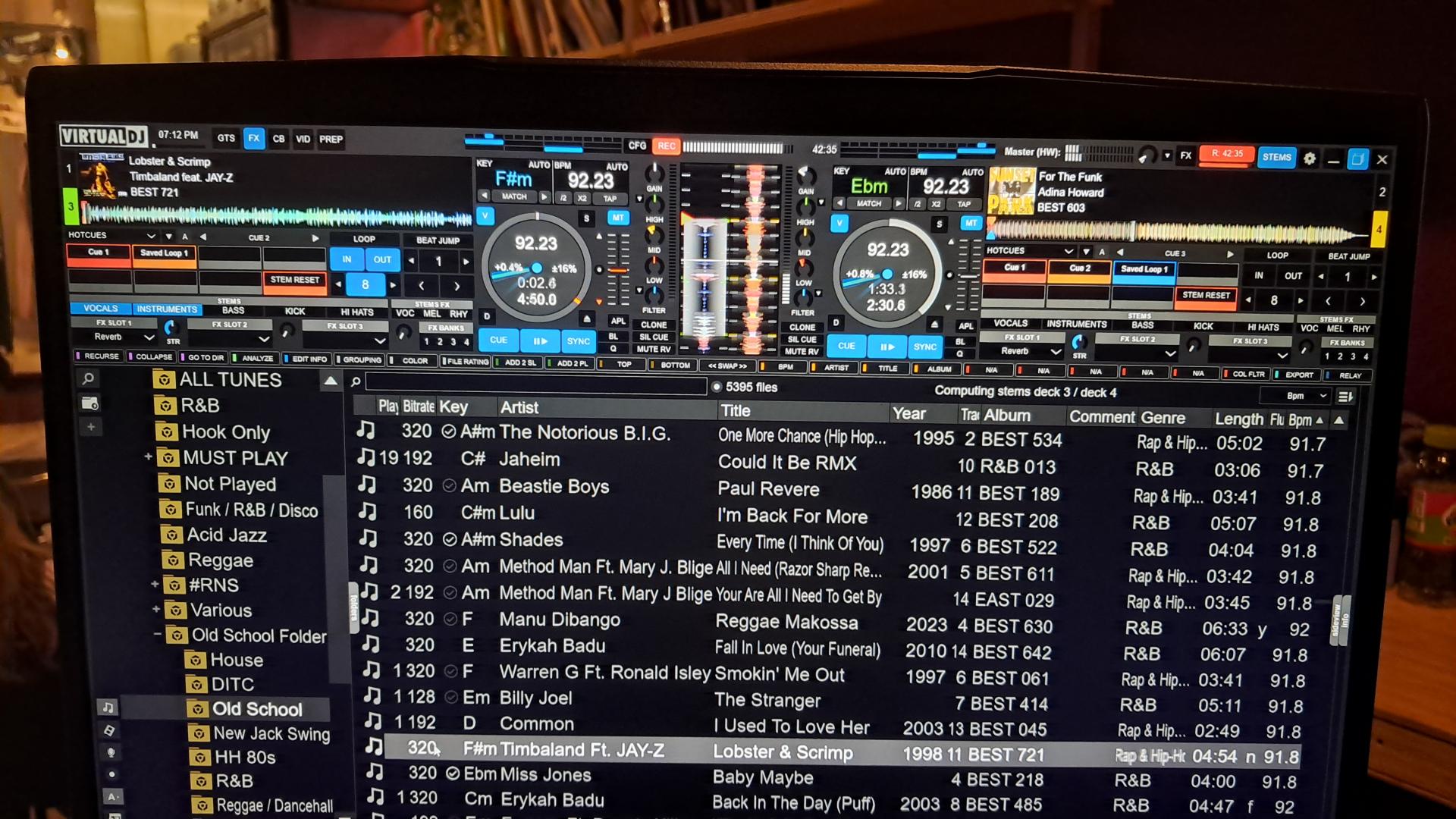
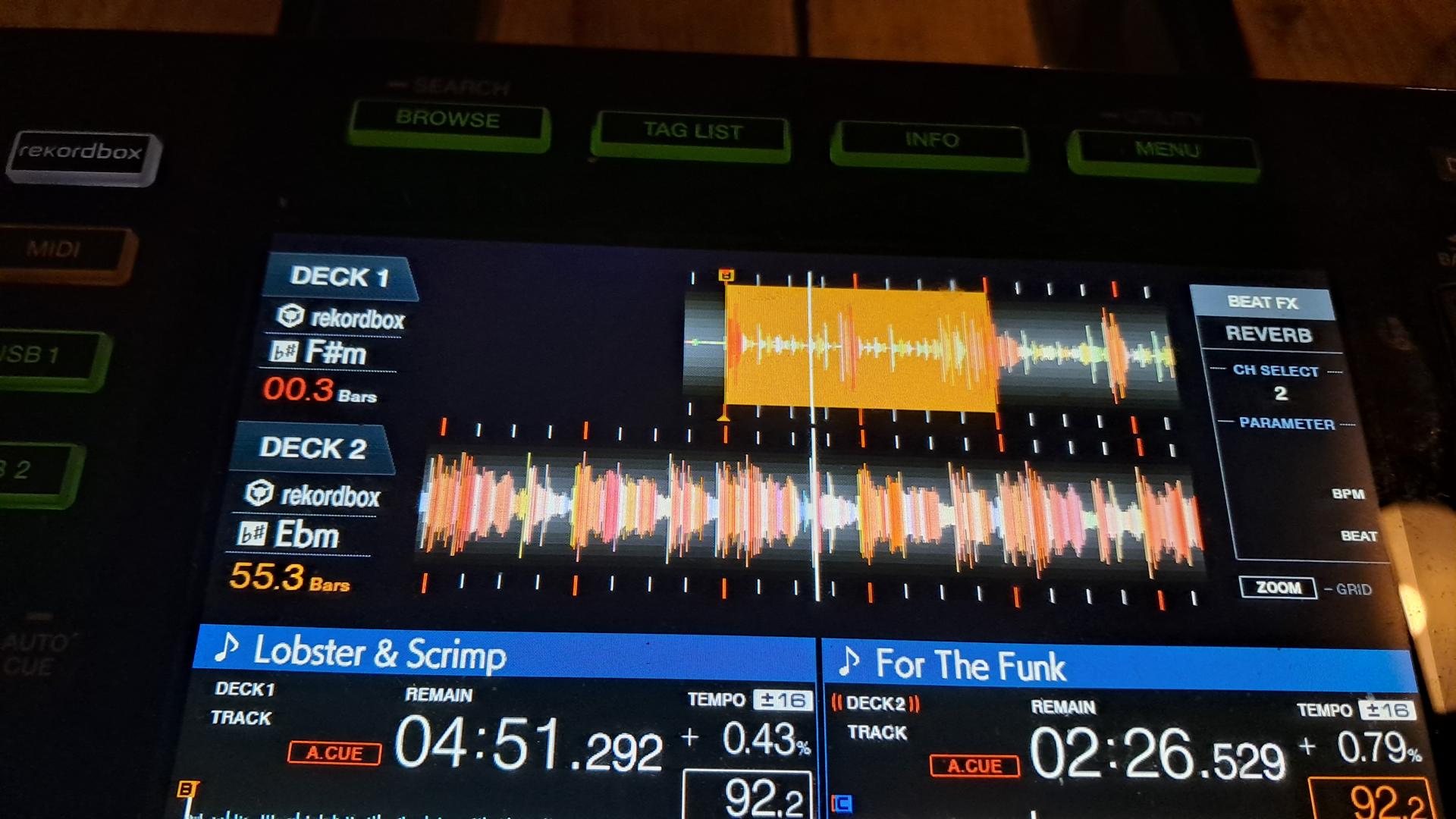
Initially, I noticed some strange behaviour with the stems effects. Looking more closely, I realised I was somehow controlling Decks 3 and 4 instead of Decks 1 and 2. I’m not sure why.
While Deck 3 was playing, I loaded a track onto Deck 2 and tried to mix it in. I could hear Deck 2 through the master output even though its channel fader was all the way down.
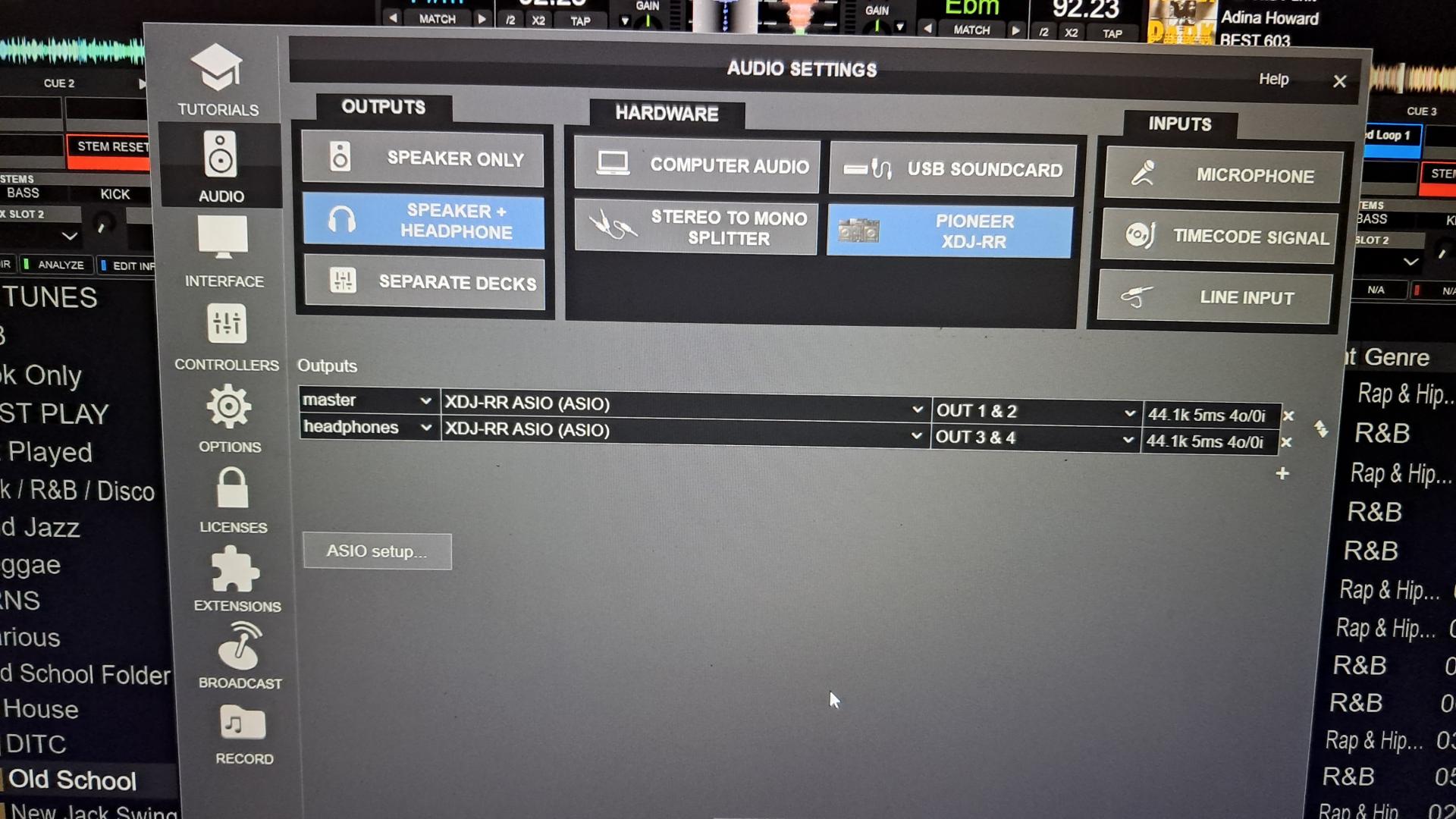
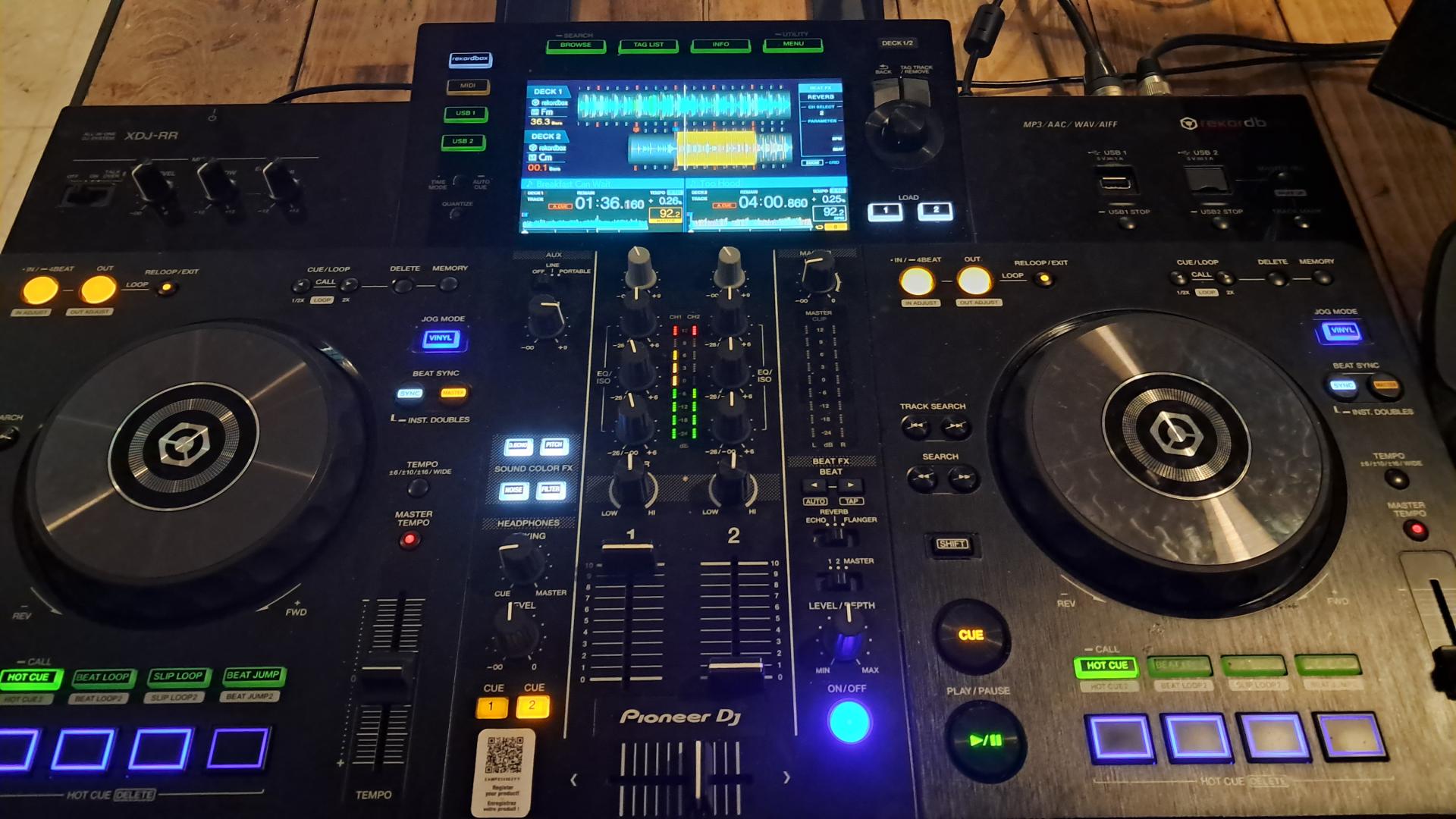
I’ve attached some pictures showing the setup.
Has anyone experienced something similar, or can anyone help me understand what might have gone wrong?
Thanks!
At tonight’s gig, I was expecting a Pioneer XDJ-RX2, but the venue actually had an XDJ-RX. I’ve had issues with this particular model before, and tonight I ran into problems again.
The firmware, drivers and VirtualDJ are all updated to the latest releases. My laptop runs Windows 11 with all the latest patches installed.
Here’s the setup sequence I followed:
1. Connected the XDJ-RX and my DDJ-XP2 to the laptop.
2. Launched VirtualDJ and selected the XDJ-RX.
3. Pressed the MIDI button on the controller, followed by the Deck 1 and Deck 2 buttons.
Initially, I noticed some strange behaviour with the stems effects. Looking more closely, I realised I was somehow controlling Decks 3 and 4 instead of Decks 1 and 2. I’m not sure why.
While Deck 3 was playing, I loaded a track onto Deck 2 and tried to mix it in. I could hear Deck 2 through the master output even though its channel fader was all the way down.
I’ve attached some pictures showing the setup.
Has anyone experienced something similar, or can anyone help me understand what might have gone wrong?
Thanks!
Inviato 4 hours ago
 PhantomDeejay
Do you mean XDJ-RR ?
This is not XDJ-RX :P
And the main difference between the two is that XDJ-RX is a 4 decks unit (with a 2 channel mixer) while XDJ-RR is strictly a 2 deck unit.
I don't know what went wrong. Most likely the deck assignment in the mappers tab got mixed up (since you had also DDJ-XP2 that's a 4 decks controller connected at the same time) and it ended up controlling decks 3 & 4.
It should be an easy fix from the mappers tab in settings. You should just change deck assignment and everything should work as expected.
However, that explains your "other" issue.
Since the unit was set to control decks 3&4 and it's not a 4 decks controller, there was NOTHING that controlled deck 1 and deck 2 volume (besides the GUI)
This means that they were left "full open" which is the default startup state of VirtualDJ.
So.. If you ever have the same issue(s) remember to check deck assignment.
This is not XDJ-RX :P
And the main difference between the two is that XDJ-RX is a 4 decks unit (with a 2 channel mixer) while XDJ-RR is strictly a 2 deck unit.
I don't know what went wrong. Most likely the deck assignment in the mappers tab got mixed up (since you had also DDJ-XP2 that's a 4 decks controller connected at the same time) and it ended up controlling decks 3 & 4.
It should be an easy fix from the mappers tab in settings. You should just change deck assignment and everything should work as expected.
However, that explains your "other" issue.
Since the unit was set to control decks 3&4 and it's not a 4 decks controller, there was NOTHING that controlled deck 1 and deck 2 volume (besides the GUI)
This means that they were left "full open" which is the default startup state of VirtualDJ.
So.. If you ever have the same issue(s) remember to check deck assignment.
Inviato 29 minutes ago