


 musicbycsharp
I have been playing with the new features in VDJ. There is an AIPROMPTS side folder (w/ sidelist, automix, etc). I have been able to drag search results from an AI prompt into the folder. I can also drag and drop the results into SIDELIST. So what is the difference of the two side folders? What is the real purpose of the AIPROMPTS folder?
Inviato Sat 20 Dec 25 @ 4:55 pm
 wickedmix
reads about it here in the VDJ Manual
https://virtualdj.com/manuals/virtualdj/interface/database/aiprompt.html
https://virtualdj.com/manuals/virtualdj/interface/database/aiprompt.html
Inviato Sat 20 Dec 25 @ 5:00 pm
musicbycsharp
wickedmix wrote :
reads about it here in the VDJ Manual
https://virtualdj.com/manuals/virtualdj/interface/database/aiprompt.html
https://virtualdj.com/manuals/virtualdj/interface/database/aiprompt.html
Thanks, I have read all of this and it is not the side folder, that's where you put the prompts. See below:
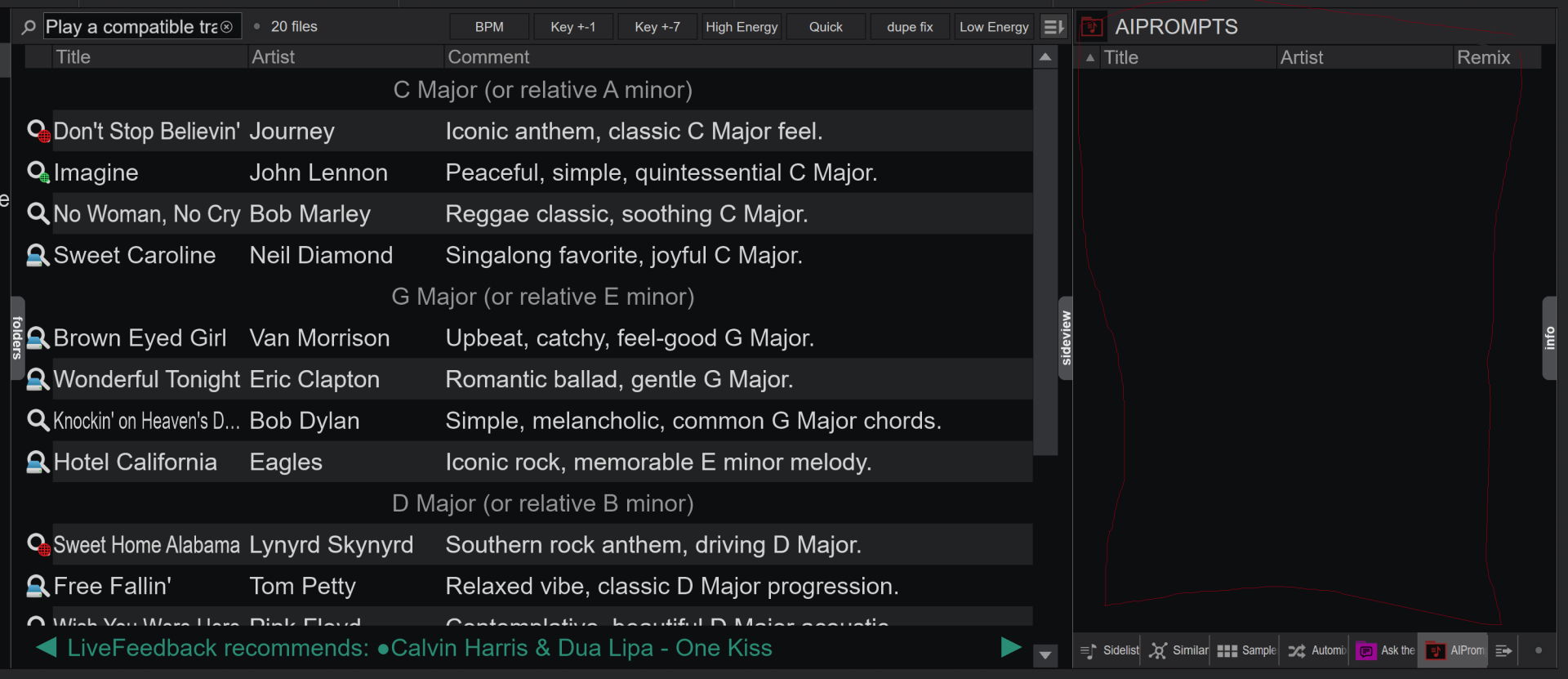
Inviato Sat 20 Dec 25 @ 6:52 pm
 groovindj
I've just checked my VDJ and the AI Prompts sidelist is not there by default. You must have added it yourself, as you can with any folder.
Inviato Sat 20 Dec 25 @ 6:57 pm
musicbycsharp
groovindj wrote :
I've just checked my VDJ and the AI Prompts sidelist is not there by default. You must have added it yourself, as you can with any folder.
Yes, I think i did a couple of weeks ago. it allows to drop tracks in it from the prompt results, but i don't see a different between that and the sidelist.
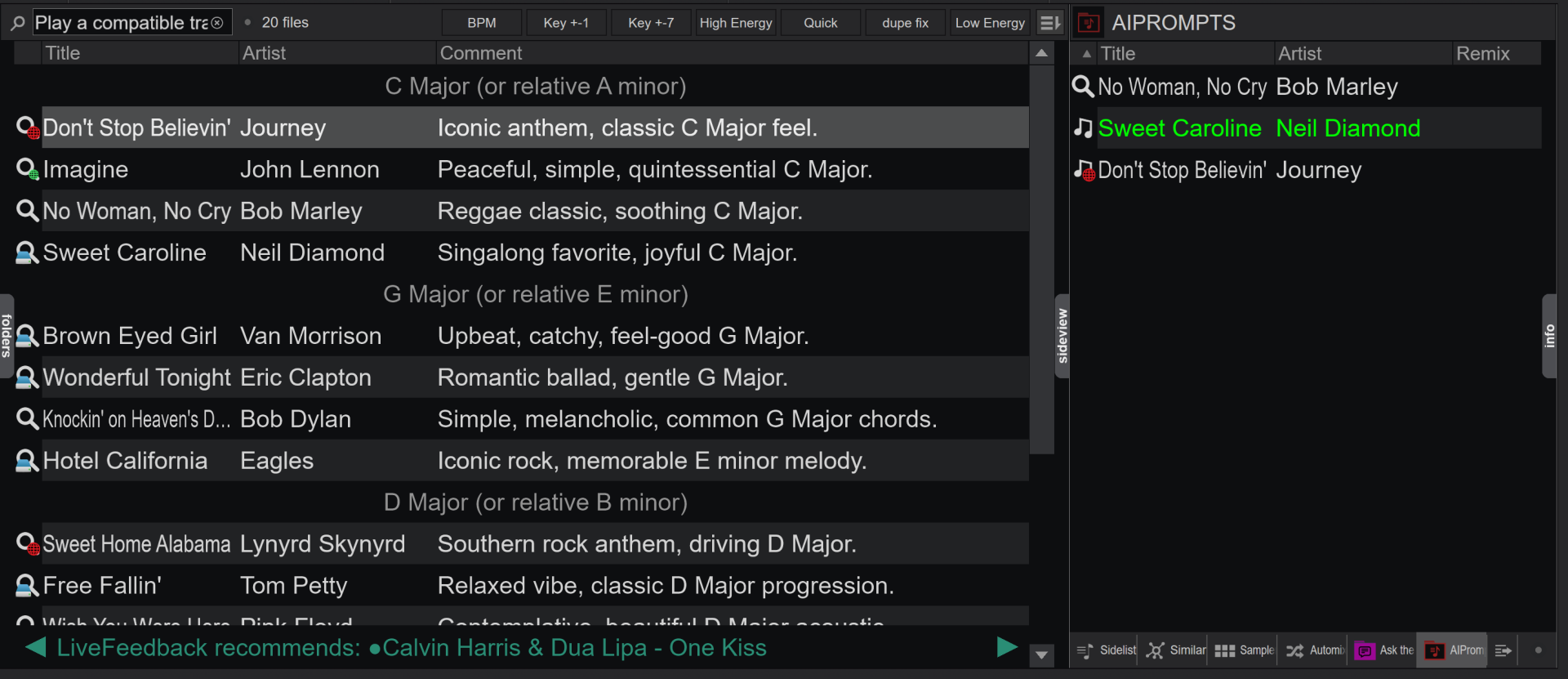
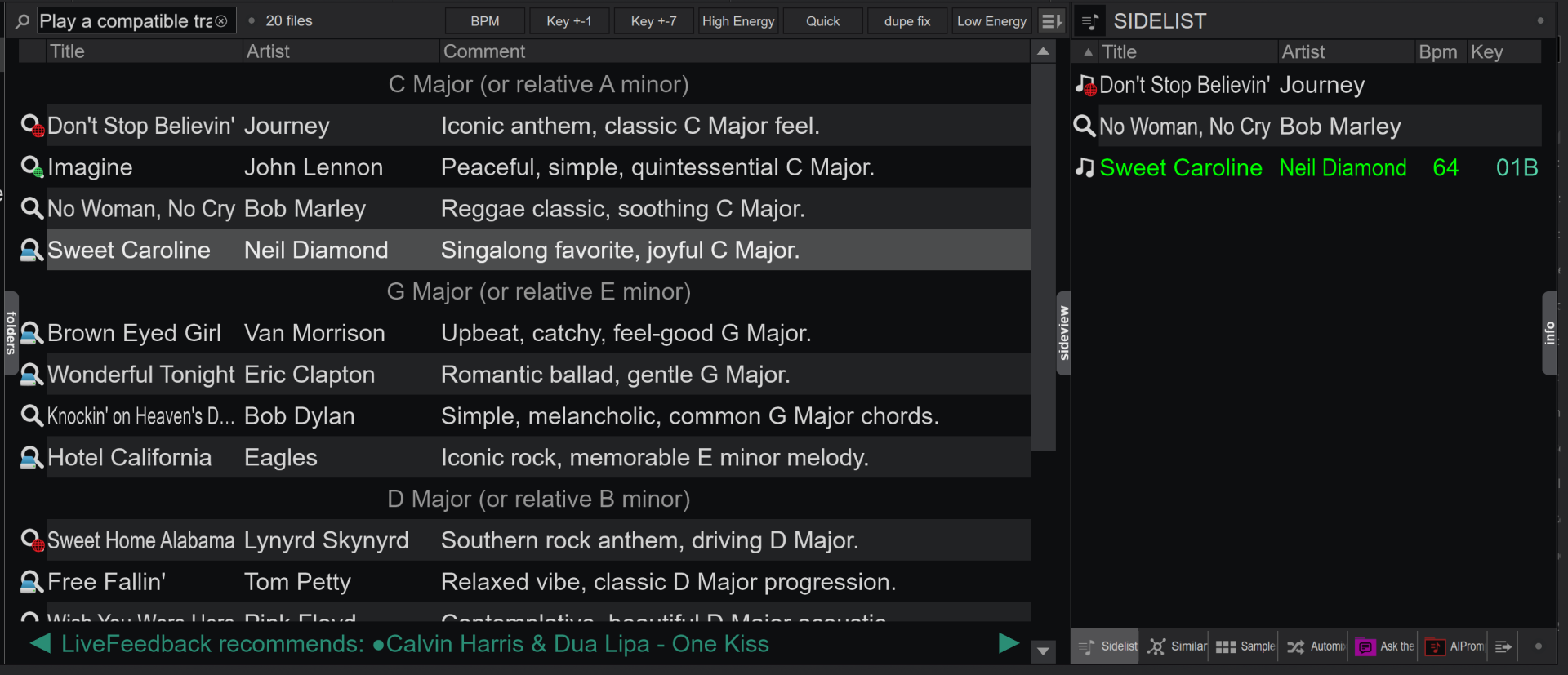
Inviato Sat 20 Dec 25 @ 7:09 pm
 Stephane Clavel
that's not how it should be used.
AIPrompt can be put to the sidelist if you want to quickly drag its recommendations to different folders in MyList, but it's not meant to be used for queries in the side list.
AIPrompt can be put to the sidelist if you want to quickly drag its recommendations to different folders in MyList, but it's not meant to be used for queries in the side list.
Inviato Sat 20 Dec 25 @ 7:14 pm
musicbycsharp
Stephane Clavel wrote :
that's not how it should be used.
AIPrompt can be put to the sidelist if you want to quickly drag its recommendations to different folders in MyList, but it's not meant to be used for queries in the side list.
AIPrompt can be put to the sidelist if you want to quickly drag its recommendations to different folders in MyList, but it's not meant to be used for queries in the side list.
By "this" are you referring to sidelist? or AI prompt? I was using AI prompt to drag results to, but I also noticed sidelist has the similar behavior. I realize sidelist is meant to be used during an event to hold tracks I may play later like a request. But from an organizing POV, I don't see an advantage of AI Prompts.
Inviato Sat 20 Dec 25 @ 8:14 pm
Stephane Clavel
you don't "drag to" AIPrompt.
you select the AIPrompt folder, and type in the search bar, then you drag from the list to decks or other lists.
you select the AIPrompt folder, and type in the search bar, then you drag from the list to decks or other lists.
Inviato Sun 21 Dec 25 @ 12:04 am
musicbycsharp
Stephane Clavel wrote :
you don't "drag to" AIPrompt.
you select the AIPrompt folder, and type in the search bar, then you drag from the list to decks or other lists.
you select the AIPrompt folder, and type in the search bar, then you drag from the list to decks or other lists.
That's not what I was referring to, I was referring to the side tabs behavior. Thanks though.
I figured it out. There are two folders related to AI Prompt prompting:
1. AI Prompt - This is a folder where the results of the prompt live (in green on my machine)
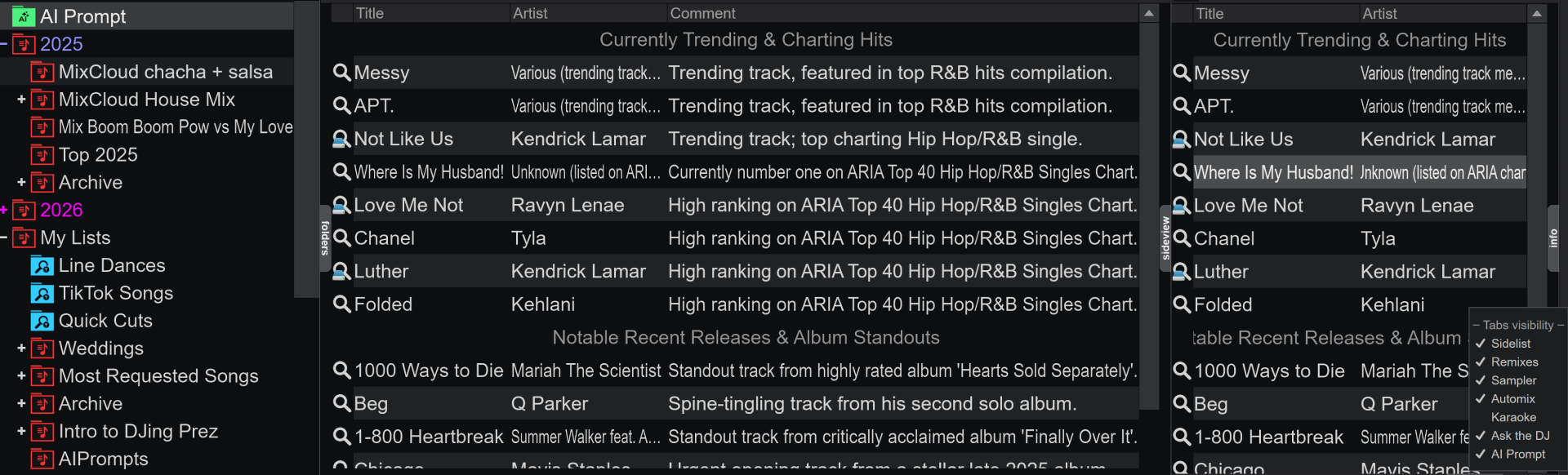
Here I can select it for the side list and push the results from my most recent prompt for quick access as I move to any other folder during a mix.
2. AIPrompts (no space) - This is a folder where saved results are placed (in red)

The reason I was not seeing anything in the AIPrompts folder is that it's just a folder to hold the previously saved results and does not have anything in it.
Inviato Sun 21 Dec 25 @ 3:13 am