


Kontrol MX2
Setup Avanzato
RECORDING & BROADCAST
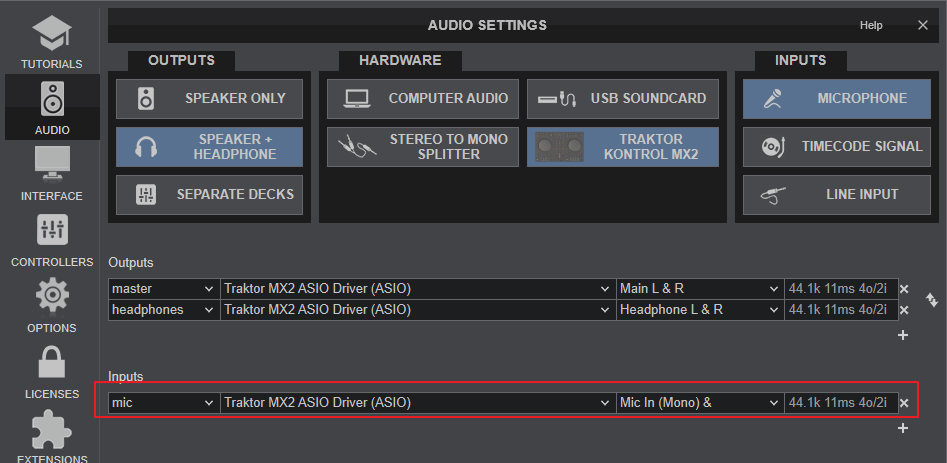
No need to make any adjustments for VirtualDJ to record your mix. Note that Microphone Input (rear panel) will be recorded, only if this input is included in VirtualDJ Audio setup.
CONTROLLER SETTINGS
The KONTROLMX2 offers 4 dedicated Settings when the device is connected. Open VirtualDJ Settings, go to OPTIONS and then select the CONTROLLER category.
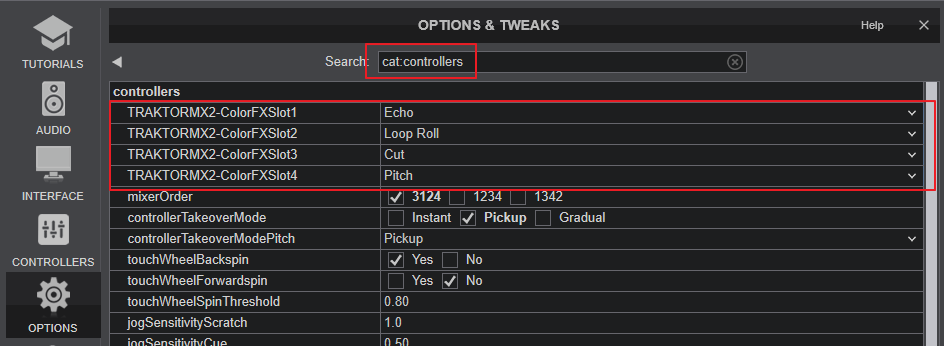
- ColorFXSlot1: Select the desired Color Effect for CFX [6] button 1 (default Echo)
- ColorFXSlot2: Select the desired Color Effect for CFX [6] button 2 (default Loop Roll)
- ColorFXSlot3: Select the desired Color Effect for CFX [6] button 3 (default Cut)
- ColorFXSlot4: Select the desired Color Effect for CFX [6] button 4 (default Pitch)
